Best Photoshop Course 2026 – Beginner to Pro Free Training
Photoshop is the most powerful design tool in the world. This best Photoshop course takes you from complete beginner to professional designer with 16 hands-on modules. You will master layers, selections, photo retouching, text effects, and creative design from scratch.
Every module has been updated for 2026. Whether you want to edit photos, create social media graphics, or start a design career, this free Photoshop training gives you everything you need.
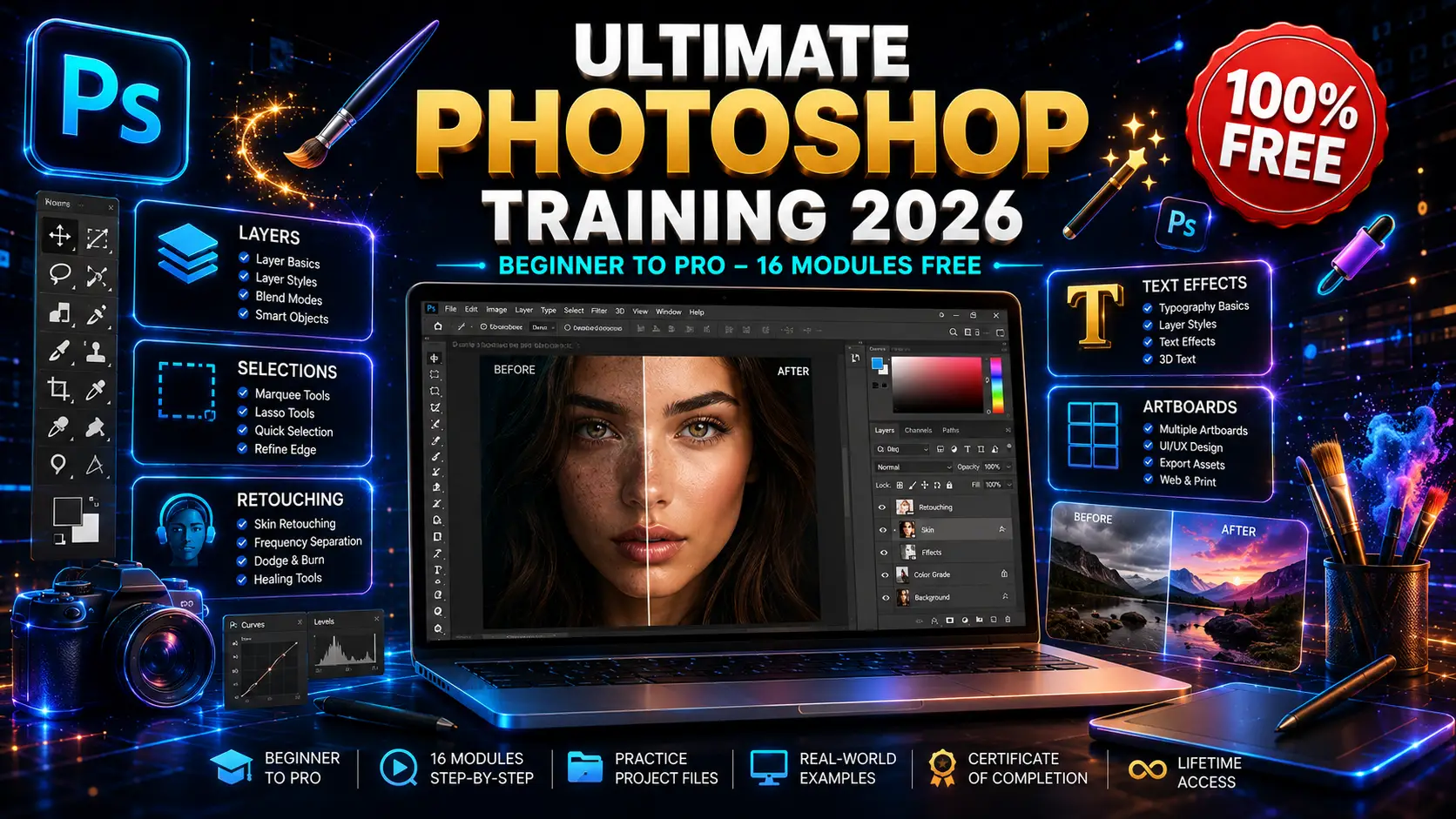
Ultimate Photoshop training course 2026 banner showing layers, selections, photo retouching, text effects and artboards with beginner to pro free training

Who Is This Photoshop Course For?

This Photoshop training is designed for two types of people:
Complete Beginners who have never opened Photoshop before. If you feel overwhelmed by all the tools and panels, this structured Photoshop course starts from absolute zero.
Aspiring Designers who know basics but want professional skills. Our graphic design guide helps you build a portfolio. This course teaches you the exact techniques that top designers use daily.
If you want a “become a designer overnight” shortcut, this is not it. But if you want real skills that clients pay for, keep reading.
April 20, 2026
by Admin
No Comments
10 Min Read

What You Will Learn in This Photoshop Course

This Photoshop course includes 16 complete modules. Here is exactly what you will master:

Module 1 – Introduction

Get familiar with the Photoshop interface. Learn how to navigate tools, panels, and workspaces like a pro from day one.


Module 2 – Get Started

Set up your documents correctly. Understand resolution, color modes, and file formats for web and print design.


Module 3 & 4 – Layers 101 & 102

Master the foundation of Photoshop — layers. Learn how to organize, group, mask, and blend layers to create complex designs without destroying your work.


Module 5 – Artboards

Design multiple screens in one document. Perfect for creating social media posts, website mockups, and presentation decks efficiently.


Module 6 – Raster Layers

Work with pixel-based images like a pro. Learn cropping, resizing, transforming, and non-destructive editing techniques.


Module 7 & 8 – Selections 101 & 102

Master the magic wand, lasso, pen tool, and quick selection. Learn how to cut out any object cleanly — the most important skill every designer needs.


Module 9 – Shape Layers

Create logos, icons, and vector graphics using shape tools. Learn how to combine, merge, and style shapes for professional results.


Module 10 – Creative Layer Styles

Add shadows, glows, bevels, and gradients to make your designs pop. This is where good designs become stunning designs.


Module 11 – Work with Smart Objects

Edit images non-destructively. Learn how to use Smart Objects so you can resize and modify without losing quality ever again.


Module 12 – Create Cute Illustrations

Apply your skills to real projects. Learn illustration techniques that turn simple shapes into adorable, marketable artwork.


Module 13 – Repair Your Photos

Fix damaged, old, or imperfect photos. Learn clone stamp, healing brush, and patch tools to restore images like magic.

[Heading Block — H3]

Module 14 – Text Layers

Master typography in Photoshop. Learn font pairing, text effects, warping, and how to make text a design element itself.


Module 15 – Improve Your Photos

Enhance colors, fix lighting, and apply professional color grading. Transform average photos into magazine-quality images.


Module 16 – Course Conclusion & Next Steps

Put everything together. Learn how to export for web and print, build your portfolio, and start getting paid design work.

What You Get When You Enroll

16 complete modules from beginner to professional level
Hands-on projects including photo edits, illustrations, and graphics
Certificate of completion to showcase on LinkedIn
Lifetime access to all course materials — completely free
30-day money-back guarantee (even though it is free)

Start Your Photoshop Journey Today

Photoshop is not just software — it is a creative superpower. With the right training, practice, and projects, you can go from complete beginner to professional designer.
This free Photoshop course gives you everything you need to stop feeling overwhelmed and start creating stunning designs. Enroll now and open Photoshop with confidence today!

Course Details

'
Instructor Design Expert
Level Beginner to Pro
Duration 12+ Hours
Modules 16 Complete
Language English
Access Lifetime

Frequently Asked Questions

What is AI digital transformation?

AI digital transformation is the integration of artificial intelligence into business processes to improve efficiency, decision-making, and customer experience. According to Wikipedia, it combines digital technology with cultural change to create competitive advantage.

Yes. This AI digital transformation leadership course is currently 100% free with full lifetime access. You get all 13 hours of video, 156 articles, and the certificate at no cost.

No. This AI digital transformation course is designed for leaders and managers. You will learn strategic and leadership concepts — not coding. Perfect for non-technical professionals.

The course content is 13 hours of video. Most students finish within 2 to 3 weeks while balancing full-time work. The 156 articles allow self-paced deep learning.

Absolutely. AI transformation leaders are among the highest-paid professionals today. This course teaches the exact strategic frameworks that enterprises use to hire and promote digital leaders.

Share this course

Ready to start learning?

Click the button below to enroll and start this course now.

ENROLL NOW

Related Courses

4.8 Rating
49K+ Students
45+ Hours
Free Certificate
100% FREE
4.8 Rating
49K+ Students
45+ Hours
Free Certificate
100% FREE
4.8 Rating
49K+ Students
45+ Hours
Free Certificate
100% FREE
4.8 Rating
49K+ Students
45+ Hours
Free Certificate
100% FREE

Leave a Comment

Your email address will not be published. Required fields are marked *

Scroll to Top